Propex HS2000 Tent Heater
In about 10-15 minutes you can set up a propane-powered ducted heater that keeps your tent warm all night with thermostat-controlled temperature, running off a portable battery.
Setup Time
10-15 minutes
Heat Output
6,500 BTU
Power
12V DC (1.4A draw)
Fuel
Propane (standard tank)
CRITICAL: Connect the thermostat BEFORE power. Disconnect power BEFORE the thermostat. Reversing this order will blow a fuse.
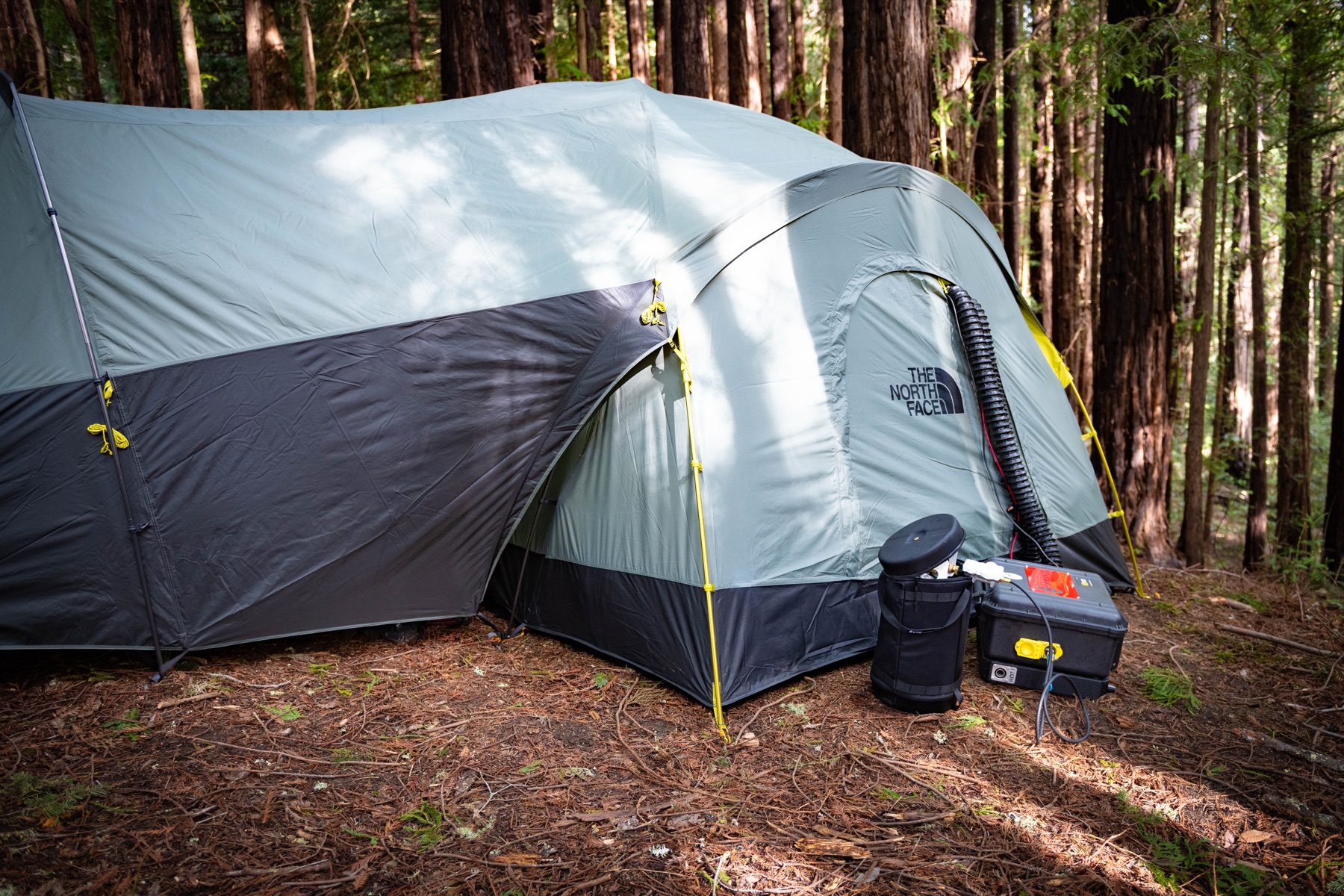
Photo of Propex HS2000 heater unit in carrying case with accessories
Orientation
Before you begin
Clear the pad, lay out your parts, and spot the color coding so setup flows smoothly.
Choose your spot
Set up the heater near your tent where the duct can enter through a window or door opening. Make sure the exhaust outlet (the dirty exhaust) points away from your tent and has at least one foot of clearance, as the air coming out will be hot.
Photo of Propex HS2000 heater positioned outside tent near door opening
Unpack and verify parts
Lay everything out before you start so nothing is missing mid-setup.
- Propex HS2000 heater unit
- Digital thermostat with wire
- Inlet duct (delivers warm air into tent)
- Outlet duct (draws cool air from tent)
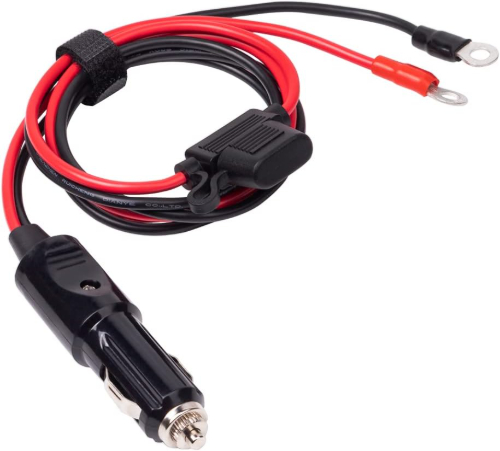
- 12V DC power cord with cigarette lighter adapter
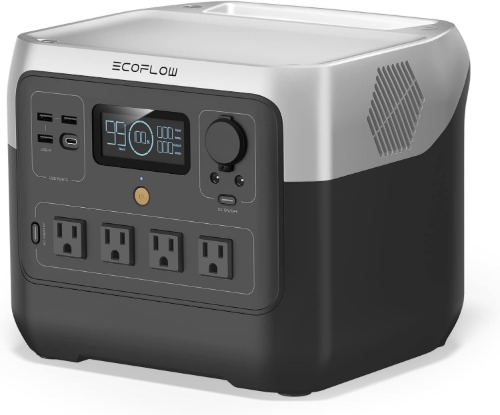
- EcoFlow River 2 Pro portable battery (or similar 12V source)
- Propane regulator with hose
- Quick-connect propane fitting
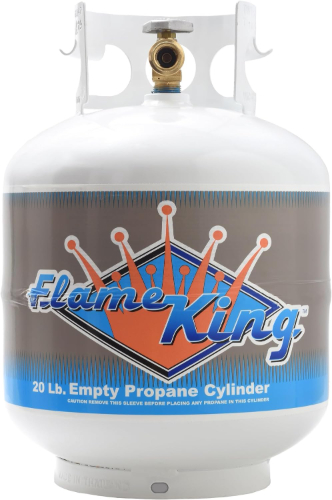
- Propane tank (standard 20 lb tank)
- Propex carrying case
Photo of all Propex heater components laid out from carrying case
THERMOSTAT MUST BE CONNECTED WHENEVER POWER IS ON
The thermostat must always be connected to the heater when there is power to the unit. Connect the thermostat BEFORE plugging in power. Disconnect power BEFORE unplugging the thermostat. If you disconnect the thermostat while power is still connected, you WILL blow a fuse.
Sealed combustion
The Propex HS2000 has a fully sealed combustion chamber. Exhaust gases never enter your tent. Only clean heated air flows through the ducts into your living space.
heater setup
Part 1: Heater Setup
Position the heater, connect the propane, wire the battery, and route the ducts into your tent.
Position the heater
Position the heater
Set up the heater near your tent where the duct can enter through a window or door opening. Make sure the exhaust outlet (the dirty exhaust) points away from your tent and has at least one foot of clearance as the air coming out will be hot.
Exhaust clearance
The exhaust outlet gets very hot during operation. Keep it pointed away from tent fabric, guy lines, and anything flammable. Maintain at least 12 inches of clearance.
Photo of Propex heater showing exhaust outlet marked with HOT warning
Hang the thermostat in your tent and attach it to the heater
Hang the thermostat in your tent and attach it to the heater
Hang the thermostat unit inside your tent in an open air area. Route the wire out of the tent and plug it into the front of the heater. This MUST be done before connecting any power to the heater. The thermostat must always be connected whenever the unit has power.
ALWAYS CONNECT THERMOSTAT BEFORE POWER
The thermostat must be plugged into the heater before you connect any power source. If the heater receives power without the thermostat attached, it will blow a fuse. Thermostat first, power second. No exceptions.
Photo of thermostat hanging inside tent in open air area
Close-up of thermostat wire being plugged into front of heater
Attach the ducting to the heater
Attach the ducting to the heater
Attach the ducting to the heater by taking off the duct caps and simply twisting the adapter fitting over the O-ring.
Close-up of duct being attached to heater output port
Close-up of duct adapter fitting twisted onto heater O-ring
Route the ducting into your tent
Route the ducting into your tent
Slip the inlet and outlet ducts into your tent through a door or window, making sure neither of the ducts are blocked and have a clear air flow path.
Photo of heater ducts routed through tent door opening
Attach the propane fitting to the heater
Attach the propane fitting to the heater
Pull back the lock sleeve on the quick-connect fitting and push it firmly onto the heater's propane inlet. Release the sleeve; it should snap forward when securely connected.
Close-up of hand pulling back quick-connect lock sleeve on propane fitting
Close-up of propane quick-connect fitting snapped onto heater inlet
Attach the propane regulator to the propane tank
Attach the propane regulator to the propane tank
Screw the regulator and hose onto your propane tank. Note: The regulator fitting is left-hand threaded. Turn counterclockwise to tighten.
Left-hand thread
Propane fittings use reverse (left-hand) threading as a safety feature. Turn the regulator counterclockwise to tighten onto the tank.
Photo of propane regulator being attached to standard propane tank
Open the valve on the propane quick disconnect fitting
Open the valve on the propane quick disconnect fitting
Apply firm pressure as needed, and ensure all connections are secure before turning on the propane.
Side-by-side photo showing propane valve in closed position and open position
Turn on the propane by turning the knob counterclockwise
Turn on the propane by turning the knob counterclockwise
Grip the knob firmly and rotate it counterclockwise (left) to start the flow of propane. Open it slowly to prevent sudden pressure surges.
Close-up of propane tank valve knob being turned counterclockwise to open
Place the battery inside your tent
Place the battery inside your tent
Place the EcoFlow River 2 Pro battery inside your tent near where you will route the power cord.
Photo of EcoFlow River 2 Pro battery positioned inside tent
Plug the cigarette lighter end of the power cord into the battery
Plug the cigarette lighter end of the power cord into the battery
Connect your EcoFlow River 2 Pro battery to the heater using the cigarette lighter adapter. Plug the adapter into the 12V car outlet on the battery.
Photo of cigarette lighter adapter being plugged into EcoFlow battery car outlet
Press the DC On/Off button on the battery
Press the DC On/Off button on the battery
The cigarette lighter plug should light up when power is active.
Diagram of EcoFlow battery showing DC On/Off button highlighted
Connect the power cord to the heater
Connect the power cord to the heater
Verify the thermostat is already plugged into the heater (Step 2). Then attach the DC barrel connector from the power cord to the heater's 12V input port. Once plugged in, the heater will start automatically and briefly blow air to indicate it's receiving power.
CONFIRM THERMOSTAT IS CONNECTED BEFORE THIS STEP
Do NOT plug in the power cord unless the thermostat is already connected to the heater. Powering the unit without the thermostat will blow a fuse. If you skipped Step 2, go back and connect the thermostat now.
Close-up of DC barrel connector being plugged into heater 12V input port
Turn on the thermostat
Turn on the thermostat
Press the Flame button under the thermostat screen. The display will light up and show the current temperature.
Close-up of thermostat showing Flame button and powered-on display reading temperature
Set your desired temperature
Set your desired temperature
Use the up and down arrow buttons to adjust the temperature. The screen will briefly show the set temperature before switching back to the current room temperature.
Close-up of thermostat display showing temperature set to 85 with control buttons labeled
Heater operation
Heater operation
The heater will turn on and run until the room is 2°F warmer than your set temperature. It will then turn off but keep the fan running for a minute to cool down. When the temperature drops 1°F below your set temperature, the heater will restart automatically.
Overnight heating
The heater cycles on and off automatically throughout the night. At 1.4A draw, the EcoFlow River 2 Pro (768 Wh) can power the heater electronics for an entire weekend of camping.
heater shutdown
Part 2: Heater Shutdown
Shut down the heater safely by turning off components in the correct order.
DISCONNECT POWER BEFORE THE THERMOSTAT
The thermostat must stay connected whenever the unit has power. Disconnect the power cord FIRST, then unplug the thermostat. If you unplug the thermostat while power is still connected, you WILL blow a fuse.
Turn off the heater
Turn off the heater
Press and hold the Flame button on the thermostat until the heater shuts down. The fan will continue running briefly to cool the system.
Close-up of finger pressing Flame button on thermostat to shut down heater
Turn off the propane
Turn off the propane
Turn the propane tank valve clockwise (right) until fully closed. Disconnect the quick-connect fitting from the heater after shutting off the propane.
Close-up of propane tank valve being turned clockwise to close
Disconnect power FIRST
Disconnect power FIRST
Unplug the 12V power cable from the heater. Turn off the battery by pressing the DC On/Off button. Do NOT touch the thermostat connection yet — it must stay connected until power is fully disconnected.
POWER OFF BEFORE THERMOSTAT
The power cord must be disconnected before you unplug the thermostat. Removing the thermostat while the unit still has power will blow a fuse. Power off first, thermostat second.
Close-up of 12V power cable being unplugged from heater
Diagram of EcoFlow battery showing DC On/Off button to press
NOW disconnect the thermostat
NOW disconnect the thermostat
Confirm the power cord is unplugged and the battery DC output is off. Only then unplug the thermostat wire from the front of the heater.
Close-up of thermostat wire being unplugged from heater front panel
Remove ducting
Remove ducting
Detach the heater ducts by twisting and pulling them off carefully. Store them neatly to prevent damage.
Pack everything
Pack everything
Place the thermostat, power cable, propane regulator, and ducts back inside the heater carrying case.
Photo of all heater components neatly packed inside Propex carrying case
error reset
Part 3: Heater Error Reset
Reset the heater if you see a blinking red light on the thermostat, which indicates a fault (e.g., low propane, blocked airflow, or power issues).
Turn off the heater
Turn off the heater
Hold the Flame button until the heater shuts off. The thermostat will still blink the fault code.
Close-up of thermostat with Flame button labeled showing blinking fault indicator
Press the reset button twice
Press the reset button twice
The small reset button is located on the lower right of the thermostat display. Quickly press and release the button twice (each press should last about 1 second).
Close-up of thermostat with reset button location highlighted by arrow
Confirm reset
Confirm reset
If successful, the red light will stop blinking. If it continues, repeat the process or check for underlying issues. Make sure the ducts are not blocked and make sure the propane valves are in the 'on' position.
Final checks
Walk the perimeter once and confirm these items before moving in.
- Exhaust outlet points away from tent with 12+ inches clearance
- CRITICAL: Thermostat is connected to the heater (must always be connected when power is on)
- Both ducts are routed into tent with clear airflow paths
- All propane connections are secure and valves are open
- Battery DC output is turned on and cigarette lighter plug is lit
- Thermostat display shows current temperature
Congratulations!
Your Propex HS2000 is running. Set your temperature and the heater will cycle on and off all night to maintain a warm tent. Sweet dreams.
Gear in This Guide
The other products you saw in this setup.
Setup Video
Watch a walkthrough of the full setup process.
Features
Sealed Combustion Chamber
The Propex HS2000 keeps all combustion gases completely sealed from your living space. Only clean heated air enters your tent through the ducts. No carbon monoxide risk from the heater itself.
Automatic Thermostat Control
Set your desired temperature and the heater cycles on and off automatically. It heats to 2°F above your set point, then restarts when it drops 1°F below.
Low Power Draw
At just 1.4 amps (about 17 watts), the heater electronics barely sip power. An EcoFlow River 2 Pro can run it for an entire weekend of camping without recharging.
Quiet Operation
The 60 CFM fan is quiet enough to sleep through. When the heater cycles off, the fan runs for about a minute to cool down, then goes completely silent until the next heating cycle.
Quick reference
Heat Output
6,500 BTU
Airflow
60 CFM
Power Draw
1.4A continuous / 0.04A standby (12V DC)
Fuel Consumption
~5 oz propane/hour
Propane Runtime
~60 hours on a 20 lb tank
Heater Dimensions
12.6" L x 6.8" W x 4" H
Ducting Size
60mm flexible ducts
Battery Used
EcoFlow River 2 Pro (768 Wh)
MSRP
~$1,200 (heater) / ~$339 (battery)
Manufacturer
Propex (propexheatsource.co.uk)
Troubleshooting
The thermostat shows a blinking red light
This indicates a fault. Turn off the heater with the Flame button, press the Reset button on the thermostat twice (1 second each press), and check if the red light stops blinking. If it persists, check that propane valves are open and ducts are not blocked.
The heater starts but shuts off after a few seconds
This usually means no propane is reaching the burner. Check that the propane tank valve is open, the quick-disconnect valve is open, and the regulator is properly threaded onto the tank (remember: counterclockwise to tighten).
No warm air is coming through the ducts
Verify the thermostat shows the heater is actively heating (flame icon). Check that ducts are not kinked or blocked. Make sure the battery DC output is on and the cigarette lighter plug is lit.
The heater blew a fuse
This happens when the thermostat is disconnected while the unit still has power. The thermostat must always be connected whenever there is power on the unit. The correct order is: connect thermostat before power, disconnect power before thermostat. Check and replace the fuse inside the heater unit.
How long will the battery last?
The EcoFlow River 2 Pro (768 Wh) at 1.4A continuous draw can theoretically run the heater electronics for 45+ hours. In practice, the thermostat cycles the heater on and off, so actual runtime is even longer. A full charge easily covers a weekend trip.
Can I use a different battery?
Yes, any battery with a 12V DC output (car-style cigarette lighter port) works. The heater draws only 1.4A (about 17W). Even smaller batteries like the EcoFlow River 2 (256 Wh) can run it for 15+ hours.
Is it safe to run the heater overnight in a tent?
Yes. The Propex HS2000 has a fully sealed combustion chamber. Exhaust gases are vented outside through a dedicated flue pipe. Only clean heated air enters your tent. However, always ensure the exhaust outlet has clearance and is pointed away from the tent.
The propane regulator won't tighten onto the tank
Propane fittings use left-hand (reverse) threads. Turn the regulator counterclockwise to tighten, not clockwise. This is a safety feature to prevent accidental cross-threading with standard fittings.